
“If you cannot judge a book by its cover, surely we should not judge an author by one book alone?”

Traditional publishing offers authors very little control over their finished product. Page layout, illustrations, even the cover art is out of the author’s hands as soon as the contract is signed. All an author can hope for is veto power on such decisions. Self-publishing offers full creative freedom. Of course, there’s always the option of hiring a graphic designer for things like book covers, but many authors don’t have the money to invest in professional work.
Thankfully, there are several options available online to help authors create high-quality book covers. Tools such as Canva are free and very easy to use. In fact, I created the graphic below in about 3 minutes! Unless you’re an artist or a photographer, you’ll probably need to use someone else’s images for your book cover. Always keep in mind when looking for graphics that, unless otherwise stated, all images taken from the internet are copyrighted material. There are images that are free to use, but be certain you are searching for Creative Commons graphics. Creative Commons licenses (CC) are used when an artist wishes to make his or her work available to others with few or no restrictions. There are several permissions the artist may give, so when searching Creative Commons images be careful to look for images the artist has given the rights to use commercially and without attribution.
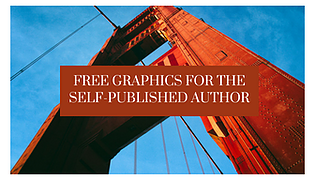
Pixabay.com and Flickr.com are excellent sources for Creative Commons images. Both are easy to search and feature several ways to sort images; by image type, orientation, size, etc. Pixabay offers over 1.4 million royalty-free images with no restrictions as far as commercial use or attribution. Flickr is a little more complicated, in that it offers images with different Creative Commons licenses. After searching images, click the license menu and choose “no known copyright restrictions” to get appropriate images for your purpose.
These sites offer free images, but no text or any other features. Desktop publishing software offers those, but you don’t have to pay for software to create beautiful graphics. Canva.com and Stencil.com both allow you to create high-quality book covers easily and at no cost.
Canva includes thousands of images and dozens of templates. You can use the website or download their app. Graphics created on the app are saved to the cloud. The program is simple and easy to use, walking you through the process of graphics creation. The stock images are beautiful, the templates and layouts professional looking. Not all images are free, but there are plenty available and the ones that aren’t free are clearly marked.
Stencil is similar to Canva but a bit more spartan. With a free account, you are limited to ten graphics per month and your choice of image is restricted. They have two paid subscription levels, with the higher subscription unlocking all features.
You don’t have to be a graphic designer to create high-quality work. With the right tools, anyone can have the creative freedom design their own book cover.


Comments